With the 1.15.0 version the FW1906 is supported.
So we have an IC wtih 2x RGB or 6 channels.
The LED strip with RGB + CCT is using 5 of the 6 channels.
How do I make the mapping?
Trail and error doesn´t bring me much further.
The IC pins are documented as B1,G1,R1 and B2,G2,R2
On this leds strip the actual colors of the LED are mapped:
B1 = Green
G1 = Not used
R1 = Warm White
B2 = White
G2 = Blue
R2 = Red
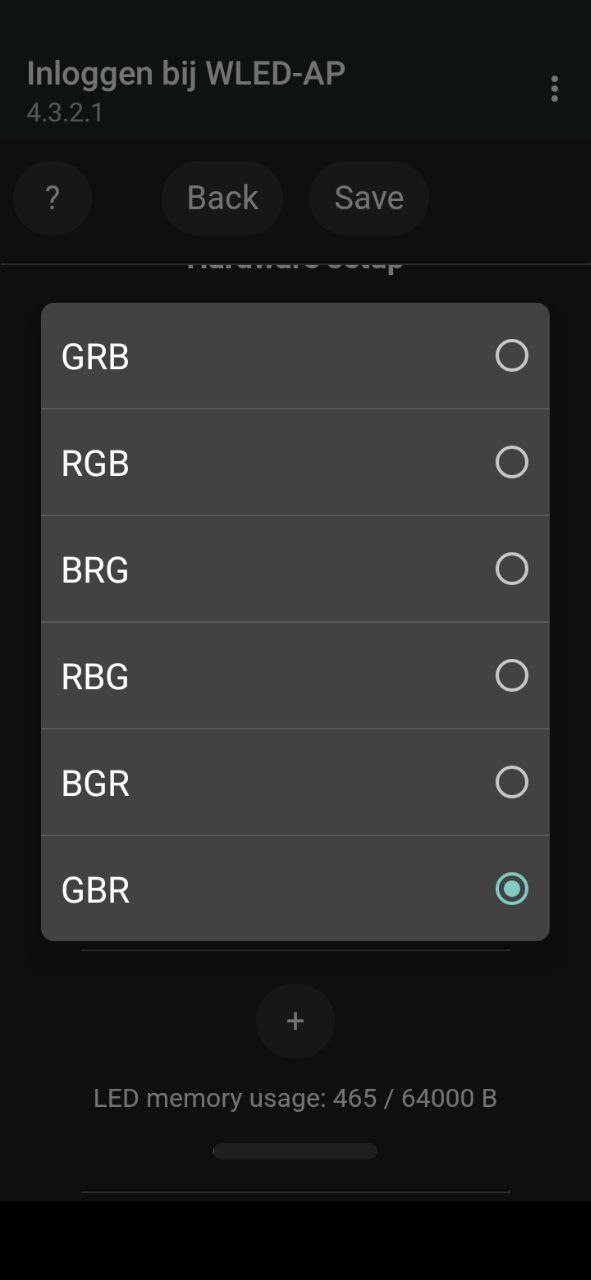
In the WLED setting I can make a mix of the next two groups:
Can anybody tell which combination I need to pick?
If no combination will work: My 2 cents: make an option to set the (5 or) 6 WLED channels to the actual colors instead of these two selection groups as the number of combinations is rather big.
The color scheme was incorrect, as the pin assignments could not be implemented that way.
My solution: compile WLED using Visual Studio Code and PlatformIO as described.
Once created, locate the file …\PlatformIO\Projects\WLED-0.15.1.pio\libdeps\esp32dev\NeoPixelBus\src\internal\features\Neo6xByteFeature.h in the project folder and modify it accordingly. Six LED colors can be combined here; my LED strip offers five:
/*-------------------------------------------------------------------------
Neo6xByteFeature provides feature base class to describe color order for
  6 byte features that only use the first 5 bytes

Written by Michael C. Miller.

I invest time and resources providing this open source code,
please support me by donating (see
)
-------------------------------------------------------------------------
This file is part of the Makuna/NeoPixelBus library.

.....

-------------------------------------------------------------------------*/

#pragma once

template <uint8_t V_IC_1, uint8_t V_IC_2, uint8_t V_IC_3, uint8_t V_IC_4, uint8_t V_IC_5>

class Neo6xByteFeature :

    public NeoByteElements<6, RgbwwColor, uint16_t>

{

public:

    static void applyPixelColor(uint8_t* pPixels, uint16_t indexPixel, ColorObject color)

    {
        uint8_t* p = getPixelAddress(pPixels, indexPixel);

        /*  *p++ = color[V_IC_1];
            *p++ = color[V_IC_2];
            *p++ = color[V_IC_3];
            *p++ = color[V_IC_4];
            *p++ = color[V_IC_5];
            *p = 0x00; // X        */


        // Color Stripe FW1906 Aliexpress by RaKa 11/2025

        *p++ = color[V_IC_5];
        *p++ = 0x00;  // NC
        *p++ = color[V_IC_2];
        *p++ = color[V_IC_1];
        *p++ = color[V_IC_3];
        *p   = color[V_IC_4];


    }