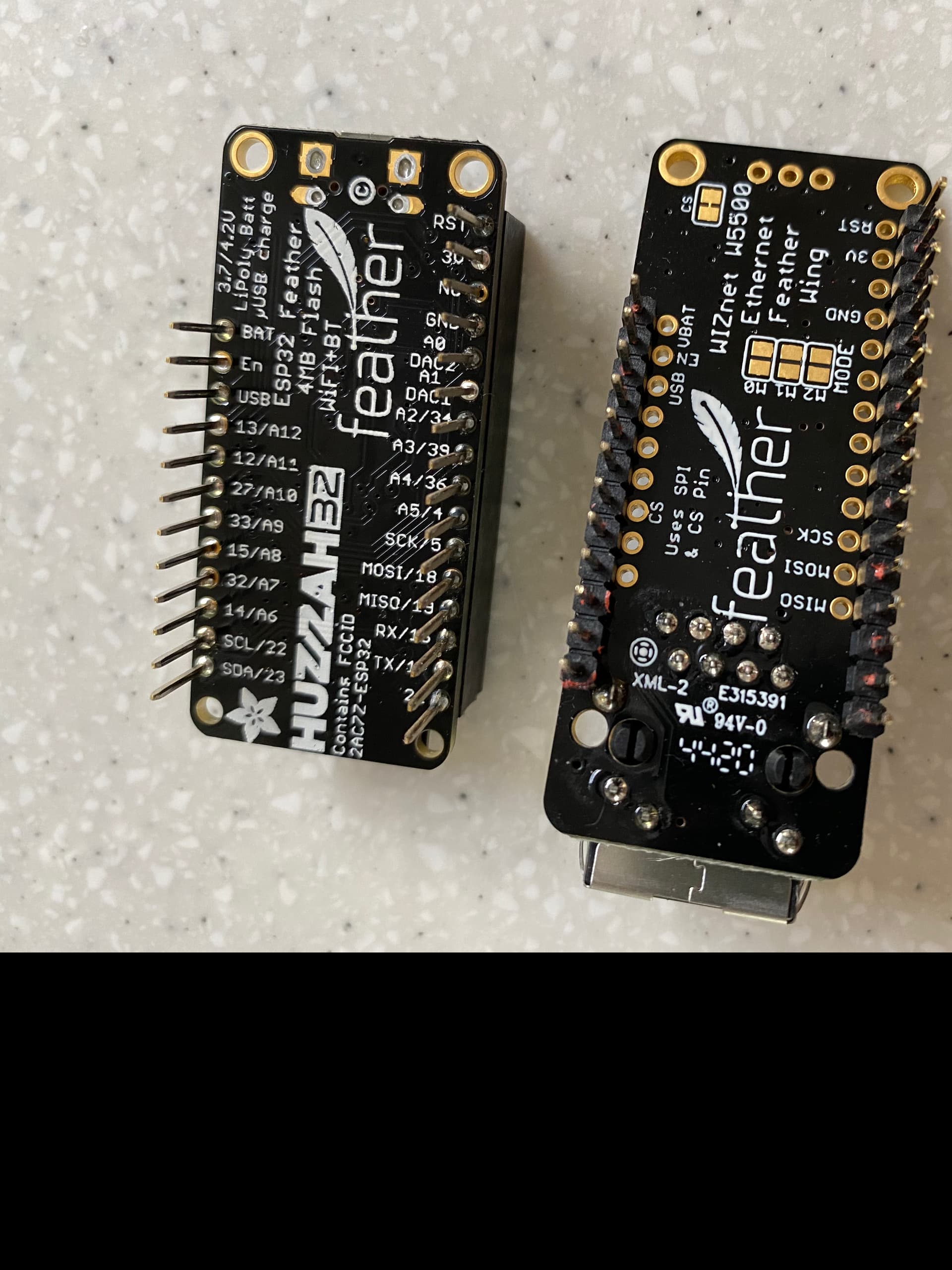
Hello, i’m after some help with trying to connect my ESP32 Feather Board to a wired Ethernet connection.
I’ve managed to install 0.12.0 and can get that working over WiFi, but i can’t get it to connect to the wired connection - what am i doing wrong.
I’m using a ESP32 Feather board with a W5500 Feather wing, see photos.
My assumption is that this board is not compatible…
Try the latest release [0.13.0.b2] which I believe has better support for wired connections. You can also search this discourse site for posts by @Aircookie detailing how to configure WLED for ethernet and also make sure the wifi does not try to pick up if the ethernet connection drops for a minute.
Hi Huggy-d1,
thanks for the info, i’ve tried 0.13.0.b2 but still not getting a connection. I’ve also tried changing the pin for LED output as documented in another post - this didn’t work either.
Regarding Ethernet Type, i’ve tried all the settings, but mainly trying everything using ESP32-POE (although i don’t have a POE connection) is this the right one to be using?
Other settings,
Network Name and Network Password, i’m leaving blank
Static IP - i’m leaving blank
Static Gateway - i’m leaving blank
Client IP always says Not Connected.
Are we able to confirm that the ESP32 Feather Board and Feather Wing will work?
Hi, sorry I should have mentioned that i’m already using
WLED_0.12.0_ESP32_Ethernet.bin
And tried
WLED_0.13.0.b2_ESP32_Ethernet.bin
But still not getting a connection,
I just bought a handful of each, and am quite pleased. These high-quality boards avoid an issue many ESP32 clones have with under-rated voltage regulators.
Caution: The WT32-ETH01 boards, while cheap, have not been particularly reliable for me, and have randomly exhibited boot problems for others.
Hi Henrygab,
thanks for the info - that may be where i’m going wrong. I’ll order a couple of the TwilightLord _ESP32’s and see how i get on with those.
Thanks blazoncek,
yep nothing in the WiFi setting section - but still not getting a connection. I think it’s the make of board that’s causing me issues - i’ve tried everything to get it to work!
Just got my ESP32 ETH01 functioning today via LAN. It was a pain, but working.
WI-Fi settings
Network name & Password = Blank
Static IP = 0.0.0.0
Gateway = your router or switch’s IP address (this hung me up because I am using a switch)
Subnet = usually 255.255.255.0
All settings configured via ESP’s AP (make sure the LAN cable is disconnected during this process)
Hope this helps someone.